
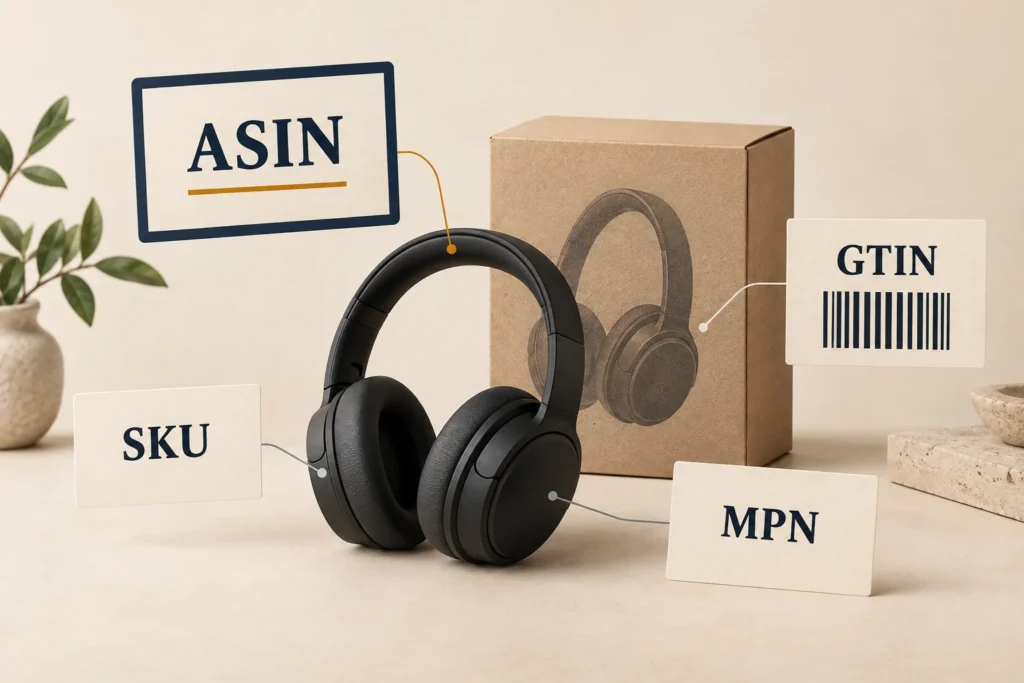
An ASIN is a 10-character alphanumeric identifier Amazon assigns to products in its catalog. ASIN stands for Amazon Standard Identification Number. Shoppers can use it to find a product; sellers use it to identify the catalog item their offer belongs to.
An ASIN is different from a seller’s internal SKU, a global GTIN or a manufacturer’s part number. For products with variations, such as different colors or sizes, the distinction between a parent ASIN and a child ASIN also matters. The parent groups the choices; the child identifies a particular version.
Key Takeaways
- An ASIN identifies an Amazon catalog item. It does not identify one seller’s price or one physical unit.
- Use the child ASIN when you need a specific variant within a variation family.
- Keep ASIN, SKU, GTIN and MPN in separate fields, and check the product details before treating two records as a match.
What does an ASIN number tell you?
An ASIN tells you which Amazon catalog record you are looking at. It is a lookup key, not a readable description of the product. You cannot reliably work out a product’s brand, size or contents by interpreting the code itself.
The phrase “ASIN number” refers to the same identifier as “ASIN.” Despite the word “number,” you should store it as text so letters and leading zeroes remain intact.
Several sellers can offer the same catalog item under the same ASIN. Their offers can have different prices and shipping terms. A price copied from a product page therefore needs its own offer context: which seller, which condition and when you checked it.
For example, two sellers may both offer the same black headphones. Their ASIN can match while their delivered prices differ. That is a difference between offers, not proof that one seller has a different headphone model.
ASIN vs SKU vs GTIN vs MPN
These identifiers belong to different systems. One product can have all four without any of them being interchangeable.
| Identifier | What it identifies | Who assigns it | Main limitation |
|---|---|---|---|
| ASIN | An item in Amazon’s catalog | Amazon | Needs Amazon catalog context; distinguish parent from child |
| SKU | A product or inventory entry within a merchant’s system | The merchant | Different sellers can use different codes for the same item |
| GTIN | A trade item under GS1 standards | Usually the brand owner, using GS1 rules | The number must belong to the exact item and packaging level |
| MPN | A manufacturer’s product or part reference | The manufacturer | Check it together with the brand and full product specification |
A SKU, or stock keeping unit, is a merchant’s own reference. One shop might call a pair of headphones HP-BLK-01; another might use AUDIO-472. Different SKUs do not make those headphones different products. Conversely, two unrelated shops could both use 1001 for entirely different items.
A GTIN, or Global Trade Item Number, identifies a trade item: a product or service that can be priced, ordered or invoiced. It is designed for use across organizations. UPC and EAN identifiers are common forms associated with the GTIN system. An ASIN belongs to Amazon’s catalog instead.
An MPN, or Manufacturer Part Number, comes from the manufacturer. It can help connect a retailer’s listing to the manufacturer’s specification. Read the complete code alongside the brand: a short model reference or a missing suffix may leave the color, region or included accessories unresolved.
There is no formula that converts a SKU, GTIN or MPN into an ASIN. Finding the corresponding ASIN requires looking up the product and checking the result. A correctly formatted identifier does not prove that a retailer attached it to the right item.
Parent ASIN vs child ASIN: which one do you need?
Use the child ASIN for a specific version of a product in a variation family. The parent ASIN is a non-buyable grouping record that connects the child products.
A variation theme defines the attributes that distinguish the children, such as size or color. Each size-and-color combination is a separate listing item within the family. Which variation themes are available depends on the product category.
Consider this fictional headphone family. The labels below describe records; they are not real ASINs.
| Catalog record | What it represents | Suitable for an exact black-headphone match? |
|---|---|---|
| Parent | The headphone family | No: it does not select a color |
| Child A | Black headphones, standard retail contents | Yes, if the model and contents also agree |
| Child B | White headphones, standard retail contents | No: the color differs |
The fact that two options appear on one detail page does not make them interchangeable. Select the required attributes before recording the identifier, then verify the selected version in the product details.
Also separate a variation from a seller’s offer. Two colors can have different child ASINs; two sellers offering the same color can share one child ASIN. Those are different relationships.
How to find the correct ASIN
You can find an ASIN on the product page, in its URL or in Seller Central. Start with the version you actually need.
- Select the exact variant. Confirm the size, color, capacity or other available options. Wait for the selected product information to update.
- Check the product information. Look for the field labeled “ASIN” in the product details section.
- Check the URL. In a URL with
/dp/XXXXXXXXXX, the ten-character segment after/dp/is the ASIN. Here,XXXXXXXXXXis a placeholder, not a real product recommendation. - For your own listings, check Seller Central. The Manage All Inventory page shows ASINs. Make sure you are reading the relevant child listing rather than its parent or a neighboring SKU.
Record the Amazon marketplace with the ID, such as Amazon.com or Amazon.co.uk. Verify the listing in the market you intend to use; a code copied from another market is not a substitute for checking that market’s product details.
If the identifier, selected option and description disagree, leave the match unresolved. Reopen the specific variant or check the manufacturer information before saving it. Choosing whichever field is easiest to copy can turn an uncertain record into a confidently wrong match.
Common ASIN matching mistakes
Most avoidable errors come from recording a valid identifier for the wrong item or using it to answer a question it cannot resolve.
Saving the parent instead of the selected child
A parent record does not tell you which size or color was priced. In the headphone example, a family-level reference cannot establish that an offer is for the black version. Save the selected child’s ID and its defining attributes together.
Matching by title or photograph alone
Similar titles and images are useful for finding candidates. They are weaker evidence for deciding whether the contents match. A product photograph might show a case or accessory that the selected offer does not include. Confirm the model, variant and stated package contents.
Treating a bundle as the standalone item
Headphones alone and headphones packaged with an extra accessory are different comparisons. The same core model name does not settle the contents. Keep those records separate unless your comparison explicitly accounts for the difference. This check concerns what is being sold, not whether the bundle offers good value.
Assuming an ASIN settles condition and price
A matching catalog ID does not complete an offer comparison. Check whether the offer is new or used and which delivery charges apply. Keep condition beside the offer information instead of treating it as something the ASIN alone guarantees.
The wider process for collecting usable price observations belongs in the guide to price scraping. Identifying the right Amazon item is one input to that process.
Reusing a code without checking its source
An MPN entered in a retailer’s SKU field remains a value that needs context. Likewise, a plausible GTIN copied into a spreadsheet is not evidence that the selected Amazon page describes that exact trade item. Preserve the field name and where you found it; investigate conflicting identifiers rather than silently overwriting them.
Do you need to create a new ASIN?
If the exact product already exists in Amazon’s catalog, a seller normally adds an offer to that existing item. A different seller SKU or selling price is not, by itself, a reason to create another product detail page.
For a product that is genuinely new to the catalog, the listing process can create a new ASIN. Amazon assigns the ASIN; the seller supplies the required product information and identifiers. Some products may qualify for a GTIN exemption, subject to Amazon’s requirements. An exemption does not turn a seller SKU into a global product identifier.
Before concluding that no record exists, check the brand, full model reference and variant details. A failed search using your internal SKU only shows that this search did not find the item.
What to save with an ASIN
Keep a compact record that lets someone else verify your choice:
- Amazon marketplace and product URL.
- The selected ASIN, identified as a child where a variation family exists.
- Brand, model, variant attributes and package contents.
- Your SKU, plus the GTIN and MPN when available and checked.
- For a price observation: seller, condition, price, currency and observation time.
Leave unavailable identifiers blank rather than substituting a different type of code. If you know the family but cannot confirm the selected child, mark that uncertainty before using the record for a comparison.
For broader analysis, the guide to pricing intelligence for ecommerce explains how comparable product evidence supports pricing decisions. A useful ASIN record starts with a narrower task: establishing exactly which Amazon item you mean.
See how your own catalog compares with the market
SkuPeek finds matching competitor offers and compares their prices and availability with your products.