
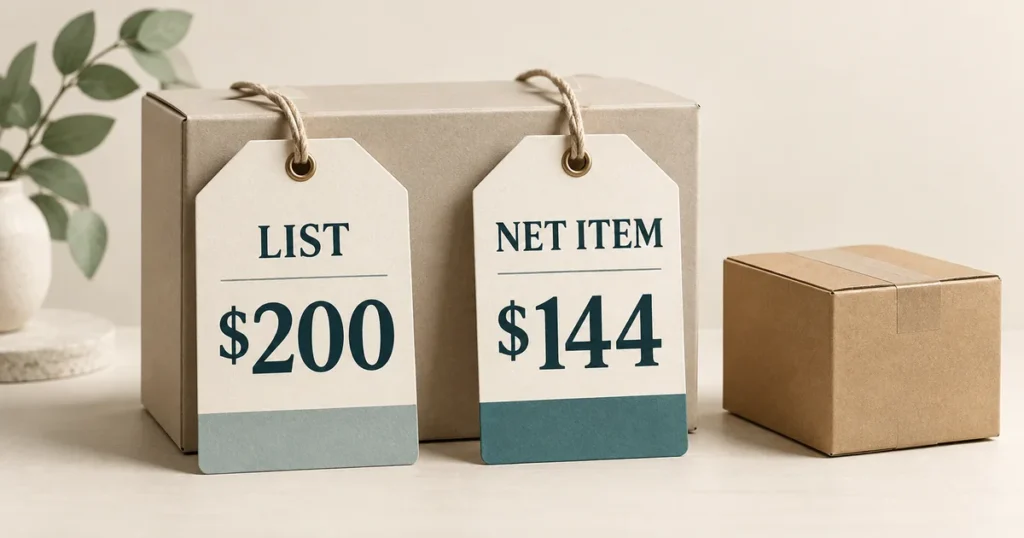
List price is the stated starting price before applicable discounts. Net price reflects the adjustments that apply to a particular purchase, but its exact meaning depends on the seller or document. Some uses include tax and required charges; others exclude tax.
For the calculations below, net item price means the price of the item after applicable discounts, excluding shipping and taxes. This is the article’s calculation convention. It does not mean every seller uses “net price” this way.
Key Takeaways
- Confirm what a price includes before comparing it with another seller’s figure.
- In the hypothetical example, sequential discounts of 20% and 10% reduce a $200 item to $144: a combined discount of 28%.
- Adding $6 shipping gives $150 before tax. The final amount payable remains unknown.
What is the difference between list price and net price?
List price is a published starting price, such as one shown in a catalog or advertisement. In this example, it is the stated reference price before the discounts that apply to this purchase.
A net price describes an amount after the adjustments defined for that transaction. The difference can depend on a promotion, a negotiated agreement, or the buyer’s eligibility.
The tax treatment needs its own check. Stripe uses net price for the transaction amount after discounts, taxes, and required charges. SAP’s sales-pricing terminology distinguishes a net price without sales tax from a gross price that includes it. These are different conventions; neither makes the article’s narrower net item price definition universal.
| Question | List price | Net item price in this article |
|---|---|---|
| What does it describe? | The starting price for the item | The item amount after applicable discounts |
| Are the example’s discounts applied? | No | Yes |
| Are shipping and tax included? | Check the price list; both are excluded in our example | Neither is included |
| Does it establish the final amount payable? | No | No; delivery, tax, and any other required charges still need checking |
If no discounts apply, list price and net item price can be equal on the same basis. The word “net” does not guarantee a saving.
How to calculate net item price
For sequential percentage discounts, multiply the list price by the share remaining after each discount. Use this formula only when each discount is allowed and applies to the reduced item amount.
Net item price formula: These formulas calculate the discounted item amount before shipping and tax, as defined in this article. They are not a universal net-price formula for every ERP or accounting system.
Sequential percentage discounts:
Net item price =
List price × (1 − discount 1) × (1 − discount 2) × ...

One percentage discount:
Net item price =
List price × (1 − discount rate)

Hypothetical example:
$200 × 0.80 × 0.90 = $144
In these formulas, discount 1, discount 2, and discount rate are percentages expressed as decimals: 20% is 0.20, leaving a multiplier of 0.80. A fixed dollar discount is subtracted from the amount specified in the offer’s terms. Its position in the calculation also matters.
Hypothetical example: a $200 item
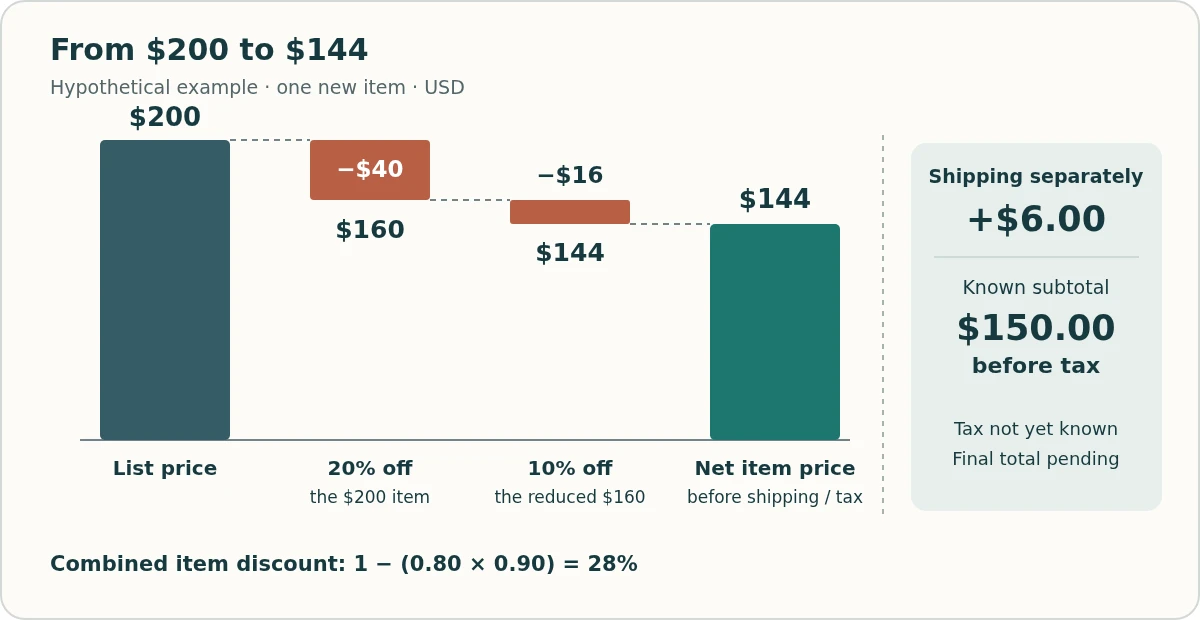
All figures below are invented for this example, in USD. The order contains one new item. A 20% product discount applies first. The order terms also permit an additional 10% discount on the reduced item subtotal. Shipping costs $6, and tax has not yet been determined.
| Step | Calculation | Amount |
|---|---|---|
| List price | Starting item price | $200.00 |
| Product discount: 20% | $200.00 × 0.80 | $160.00 |
| Additional discount: 10% of the reduced subtotal | $160.00 × 0.90 | $144.00 |
| Net item price | After the two discounts, before shipping and tax | $144.00 |
| Add shipping | $144.00 + $6.00 | $150.00 before tax |
| Final amount payable | Tax and any other required charges must be confirmed | Not yet established |
The first discount saves $40. The second saves $16 because its base is now $160. Together, they reduce the item price by $56.
Net item price = 200 × 0.80 × 0.90 = 144
Combined discount = 1 − (0.80 × 0.90) = 28%
Why 20% followed by 10% is not 30% here
The two percentages use different bases. Adding them would treat both discounts as percentages of the original $200, which is not this example’s rule.
If an offer instead allows both reductions to be calculated from the original $200, the result would be $200 − $40 − $20 = $140. If the discounts cannot combine and only the 20% discount applies, it would be $160. Those are different offers with different terms.
Shopify offers a useful distinction. When product and order discounts are allowed to combine, the product discount applies first. The order discount then uses the reduced subtotal. But two percentage order discounts share the same base: the subtotal after product discounts. Shipping discounts apply to shipping. Check the class of each discount, its rules, and who can use it.
Working back from net item price
When the sequential rates are known and there are no other adjustments, divide by their remaining-price multipliers:
List price = Net item price ÷ [(1 − first rate) × (1 − second rate)] = 144 ÷ (0.80 × 0.90) = 200
This reconstructs the starting amount under the stated rules. It does not prove that a seller previously sold the item at that price.
Why $150 is still not the final amount payable
The $150 figure covers the discounted item and the known delivery charge. It is a subtotal before tax, with any other required charges still to be confirmed.
Keep the components separate:
Final amount payable = Net item price
+ shipping
+ applicable tax
+ other required charges not already included
This expression describes the components, not a tax calculation rule. Establish the tax amount from the actual order details. Do not assign it a value of zero simply because the product page has not shown it yet.
For the same reason, keep conditional future rebates separate from today’s checkout amount. A rebate that still requires approval or a later claim is not cash already deducted from the order.
List price, compare-at price, MSRP, and gross price
A list price is not automatically MSRP, a historical selling price, or a compare-at price. The same amount can serve more than one role, but its label alone does not establish those links.
| Label | What it tells you | What to avoid assuming |
|---|---|---|
| List price | The stated starting price before the relevant discounts | That every customer pays it, or that its tax treatment is obvious |
| Compare-at price | A reference field used to display a price comparison | That the seller has proved a past sale at that amount |
| MSRP | The manufacturer’s suggested retail price | That it is the retailer’s current price or an agreed transaction price |
| Gross price | An amount whose inclusions depend on the document; SAP’s sales-price usage includes sales tax | That it is another name for list price |
| Net item price | This article’s discounted item amount before shipping and tax | That it covers the complete order |
On Shopify, Price holds the sale price in a sale-price setup, while Compare-at price holds the higher reference amount. How those values appear on the storefront depends on the theme. The presence of a compare-at field establishes neither verified sales history nor that the reference is MSRP.
Google’s merchant-listing markup likewise distinguishes the active price, a strikethrough reference price, and a member price. Those labels describe an offer’s price fields. They do not reveal every buyer’s final checkout amount or define a universal net-price formula.
When collecting prices from product pages, preserve each value’s role. Our price scraping guide covers extracting the relevant price data; the comparison still needs to establish what each amount includes.
How to compare prices from different sellers
Compare the same item for the same buyer on a clearly stated cost basis. A larger advertised discount does not by itself establish the lower cost.
Extend the hypothetical example with a second seller. Both offers are for one unit of the same new product and variant, in USD, with equivalent delivery to the same destination. The buyer qualifies for each stated price. No other mandatory fees apply in this comparison; tax remains unknown for both.
| Comparison field | Seller A | Seller B |
|---|---|---|
| Net item price | $144.00 | $148.00 |
| Shipping | $6.00 | $0.00 |
| Subtotal before tax | $150.00 | $148.00 |
| Tax | Unknown | Unknown |
| Final amount payable | Unknown | Unknown |
Seller A has the lower item price by $4. Seller B has the lower subtotal including delivery by $2. That supports a comparison before tax, not a claim about which final checkout total will be lower. Seller B’s shipping is explicitly free in this scenario; neither seller’s unknown tax is treated as zero.
Before using an offer in a comparison, confirm:
- Same product: model, variant, pack size, quantity, and condition match.
- Buyer access: the same buyer can use the coupon, member price, quantity tier, or contract price.
- Included costs: item discounts, delivery, taxes, and required fees are clear, with no amount counted twice.
- Timing and stock: the offer is active and the item is in stock on the terms being compared.
The buyer also matters in B2B sales. Shopify B2B catalogs control which products and prices a business buyer can access. A public page and the buyer’s assigned catalog can therefore show different offers. The public price alone does not reveal that company’s deal.
A public price scraper cannot infer confidential contract discounts, private rebates, or a store’s net revenue from a displayed price. Record the visible price and its conditions; keep unknown values unknown.
For price benchmarking, decide whether the comparison uses item prices or totals with the same components included. If those prices later feed a price index calculation, keep that basis consistent across the inputs.
The useful comparison is a labeled one: $144 for the item, $150 with delivery before tax, final amount pending. That tells the reader more than “net price: $144” on its own.
See how your own catalog compares with the market
SkuPeek finds matching competitor offers and compares their prices and availability with your products.